C++ Programming
Chapter 1: Getting Started
History of C++
C++ is based on the C language, released in 1972, which has also served as a model for Java, PHP and JavaScript, for example. So the syntax of all these languages is similar.The development of C++ began in 1979, initially as "C with Classes". This implies that C++ enables object-oriented programming with the basic concept of class.
In 1998, C++ had reached its present form and the first C++ standard was published. This course is based on the 2011 standard, which added many useful features to the language.
First program
Our first program is here:#include <iostream>
using namespace std;
int main() {
cout << "Hello!\n";
}
This program prints text on the screen, specifically: "Hello!".
Next, we'll go over how we get this program working on Linux. If you're using a Mac, you can also follow these steps. If you use Windows, one popular environment is Code::Blocks (select MinGW installation to get a C++ compiler).
Writing a program
In C++, the code is stored in a file with the extension.cpp.
For example, we can save our first program to a file hello.cpp.
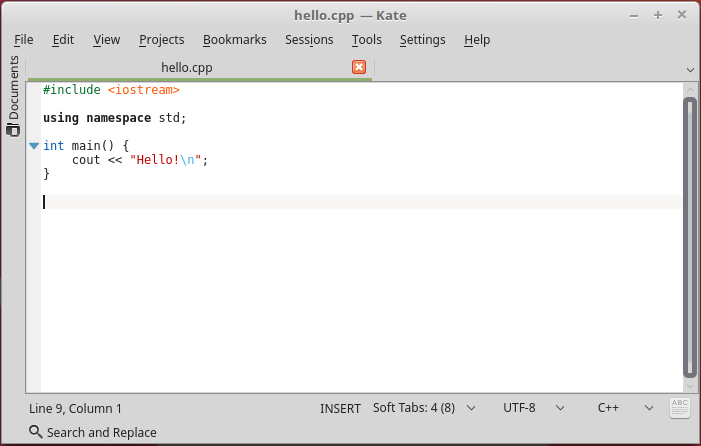
You need a text editor to write the program. For example, in Linux, the easy-to-use editor is Kate, which has C++ code coloring. The program may look like this in the editor:
Program translation and execution
In order for C++ code to be executed, it must be translated (compiled) from a code file to an executable binary file. For this you need to install a C++ compiler on your machine.In Linux, for example, we can compile the code with the g++ compiler as follows:
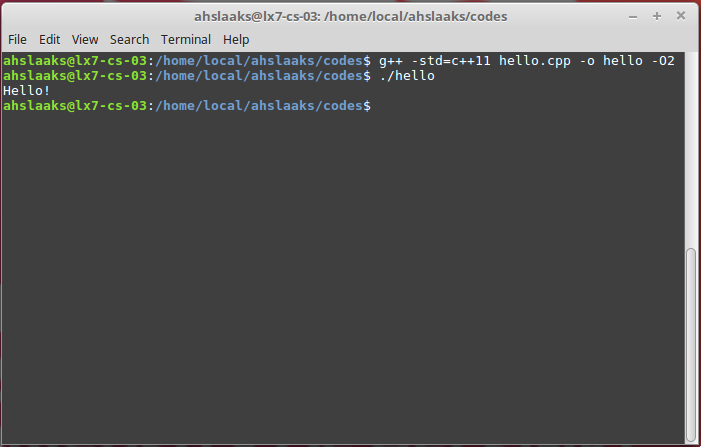
$ g++ -std=c++11 hello.cpp -o hello -O2
Here -std=c++11 means
that the C++11 standard is used,
and -O2 stands for optimization level 2.
The command results in the executable binary file hello,
after which we can execute the code.
Under Linux, translation and execution may look like this:
Once you have the first program compiled and executed on your machine, you have a working environment for programming C++ and you can move on.